
Description
Cinematic Black Bars Transparent PNG for Video Editing, Film, and Digital Projects
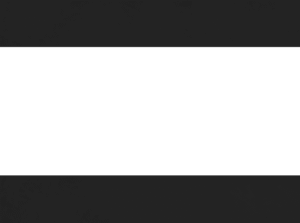
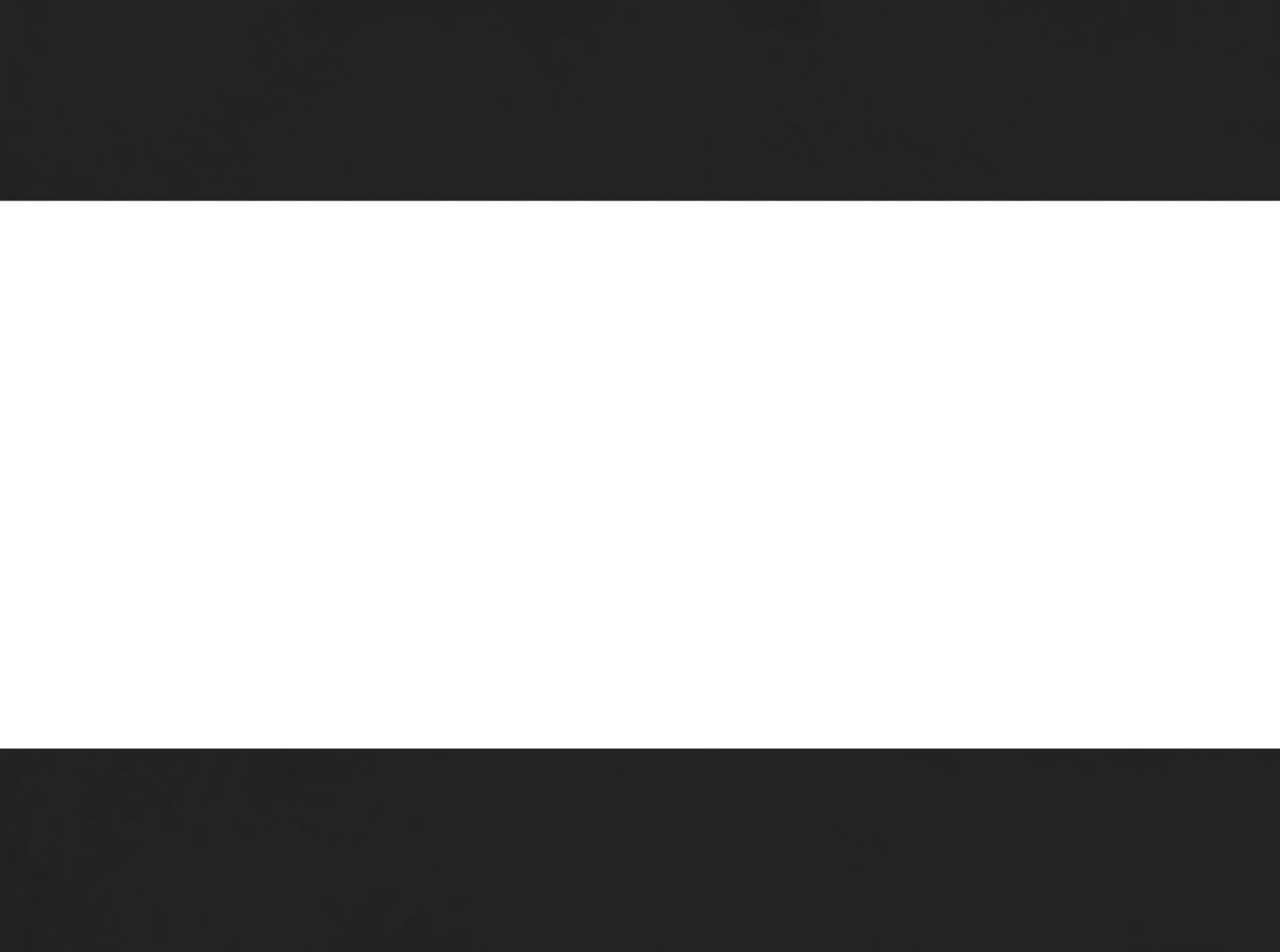
When you think about films that feel “cinematic,” chances are your mind instantly recalls that widescreen format with elegant letterboxing. Those sleek top and bottom bars are more than just a design choice—they change the entire mood of the story. The Cinematic Black Bars Transparent PNG brings that exact professional film look into your own edits, without complicated cropping or aspect ratio adjustments. Whether you’re working on a YouTube vlog, a short film, a trailer, or a creative montage, these black bars instantly transform ordinary footage into something that feels crafted for the big screen.
What is a Cinematic Black Bars Transparent PNG?
A Cinematic Black Bars Transparent PNG is a simple yet powerful overlay file that adds black letterboxing to your videos or digital projects. Unlike resizing your video canvas or manually masking, this PNG overlay lets you keep your full footage intact while achieving that widescreen movie aesthetic. It comes with a transparent center, allowing your video or photo to show through perfectly.
- Instant cinematic effect: No complex editing required.
- High-resolution transparency: Works across 1080p, 4K, and beyond.
- Time-saving resource: Skip manual masking and aspect ratio settings.
- Reusable: Use across multiple projects without degradation.
Creator’s Note
The idea for this Cinematic Black Bars Transparent PNG came while editing my very first short film during college. I remember spending hours trying to crop my footage to look “cinematic,” but every export looked off—text was cut, heads were chopped, or the proportions didn’t match what I saw in theaters. Frustrated, I decided to make my own PNG overlay with transparent space in the middle.
The moment I dragged it over my timeline, my footage transformed. Suddenly, the edits looked intentional and polished. This PNG is my way of sharing that same spark with creators today—because sometimes it’s the smallest tweak that makes your project feel like a movie.
Why Use Cinematic Black Bars in Your Projects?
Adding a Cinematic Black Bars Transparent PNG is more than just aesthetics—it’s about storytelling. Those top and bottom frames subconsciously tell viewers: “This is not just a clip; this is a story.”
Benefits include:
- Professional polish: Instantly elevates amateur footage.
- Visual consistency: Frames every scene with balance.
- Storytelling emphasis: Directs focus to the subject.
- Creative control: Apply, remove, or adjust as needed.
- Non-destructive: Keeps original footage untouched.
Creative Uses of Cinematic Black Bars Transparent PNG
1. Short Films and Indie Projects
Indie filmmakers often want their work to carry the same gravitas as big-screen productions. By applying the Cinematic Black Bars Transparent PNG, even budget projects feel professional and intentional.
2. YouTube Videos and Vlogs
From travel vlogs to tutorials, YouTube content stands out more when it looks cinematic. Many creators add these black bars to create a recognizable brand style.
3. Music Videos
Music is about mood, and so is imagery. Adding widescreen letterboxing instantly sets the tone, helping viewers focus on rhythm and storytelling.
4. Trailers and Teasers
Almost every movie trailer uses letterboxing. By using a Cinematic Black Bars Transparent PNG, your teaser instantly feels like a professional production.
5. Social Media Clips
While TikTok and Instagram are vertical-first, cinematic overlays still have a place in horizontal edits—especially for IGTV, YouTube Shorts in widescreen, or promotional reels.
Tips for Using the Cinematic PNG Overlay
- Don’t overuse: Reserve it for storytelling moments, not casual clips.
- Combine with color grading: Film bars pair beautifully with warm tones, moody LUTs, and high-contrast edits.
- Keep safe margins: Avoid placing important text or faces too close to the black bars.
- Match aspect ratio: Experiment with 2.35:1, 2.39:1, or 16:9 for different effects.
- Blend with sound: Visual storytelling works best when paired with cinematic sound design.
Workflow: How to Apply Cinematic Black Bars Transparent PNG
- Download the Cinematic Black Bars Transparent PNG from Dehraflicks.
- Import it into your editing software (Premiere Pro, Final Cut Pro, DaVinci Resolve, After Effects, or Canva for static projects).
- Place the PNG on a layer above your footage.
- Resize or reposition if needed.
- Export your video with a true widescreen cinematic look.
Pairing with Other Creative Assets
Letterboxing works best when combined with additional design resources. For example, pairing with a Neon Arrow Transparent PNG can guide viewers’ eyes toward a focal point. Similarly, a Notebook Sticker Frame PNG can add handwritten notes inside your project. Even expressive assets like the Nervous Emoji Transparent PNG can be layered in creative edits where contrast between serious cinematic bars and playful graphics makes an impact.
The Psychology of Letterboxing
According to visual design studies (National Film Institute), letterboxing is more than a style—it’s an emotional cue. Wide frames mimic the way we perceive the world, immersing viewers and giving them breathing room. By using the Cinematic Black Bars Transparent PNG, you’re tapping into a psychological effect that subconsciously signals “movie mode” to your audience.
Frequently Asked Questions
Does this PNG reduce video resolution?
No, your footage stays the same resolution. The overlay simply frames your video.
Can I change the thickness of the bars?
Yes, by scaling or cropping the PNG layer, you can make the bars thicker or thinner.
Is it only for video?
No, the Cinematic Black Bars Transparent PNG can also be used in posters, digital designs, or slideshows.
Does it work in Canva?
Yes! Upload the PNG and drag it over your photo or video background.
Can I use it commercially?
Yes, it’s free for personal and commercial projects.
Final Thoughts
The Cinematic Black Bars Transparent PNG is one of those timeless resources that every creator should keep in their toolkit. Whether you’re editing your first short film or publishing your hundredth YouTube video, adding letterboxing instantly communicates professionalism and narrative weight. It’s easy, effective, and endlessly reusable. Most importantly—it lets you focus on the art of storytelling instead of fighting with technical adjustments.
Follow us on Instagram 🔗 https://www.instagram.com/dehraflicks/ for free PNGs, design inspiration, and creative updates every week.








Reviews
There are no reviews yet.